Coming soon · Azure Virtual Desktop operationsGive the business its own host pools.
Give the business its own host pools.
Not the keys to Azure.
Assign a role to a person or team and scope it to the exact host pools they are responsible for. Disconnect, message and log off users from one focused console. Every action is scoped and recorded.
No Azure roles for helpersNo customer-side deployment
- Education
- Managed service providers
- Enterprise EUC
- Public sector
- Healthcare
- Finance
- Cyber Essentials certified
- AES-256-GCM secrets
- Complete activity trail
- UK hosted
Less privilege. Faster fixes.
Turn AVD support into a controlled workflow.
AvdControl separates everyday session support from Azure administration, so the right people can act quickly inside a clear boundary.
01 / Resolve
Clear sessions in seconds
Find active, idle and disconnected users in one view. Message, disconnect or log off without a portal hunt.
02 / Delegate
Give access, not Azure
Assign a role to a person or team and scope it to the exact host pools they are responsible for.
03 / Prove
Keep a clean audit trail
See who acted, what they did and which session was affected. Destructive actions always ask first.
Inside the console
One console. Every session in scope.
Sessions, host pools, team and Activity. Everything a help desk analyst touches, in the order they touch it.
01 · Sessions
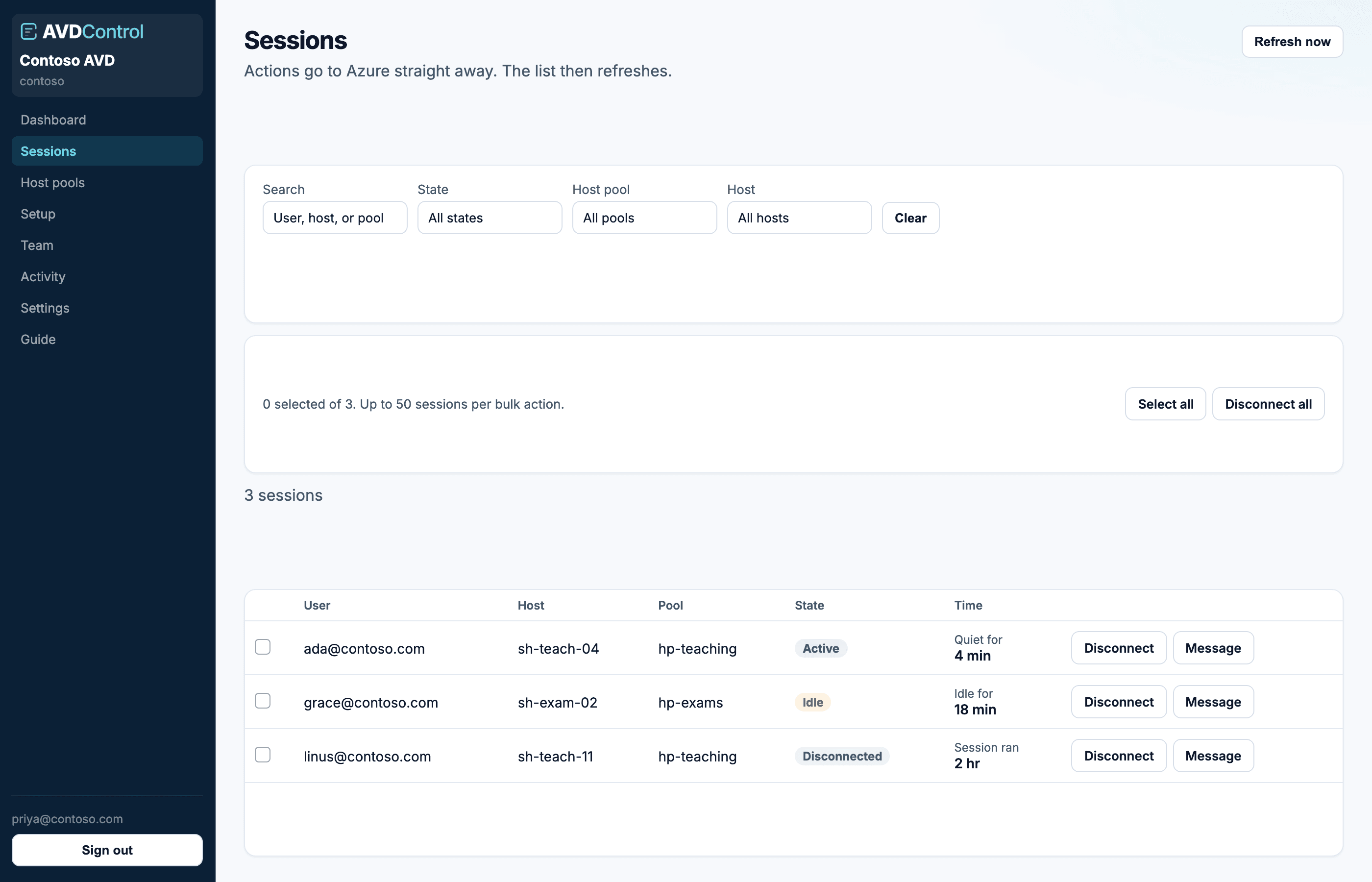
Every live session, filtered to the pools you own.
Search by user, host or pool. Filter by state. Disconnect, message or log off, alone or in bulk, without a portal hunt.
Bulk disconnectState filtersLive refresh
acme.avdcontrol.com/sessions
A safer operating model
Your Azure estate stays yours.
AvdControl is a hosted service. You connect an Entra app that your team owns, choose the pools to expose, and keep control of the credentials.
Client secrets are encrypted with AES-256-GCM. After save, the API never returns them. You rotate a secret, you cannot read the old one back.
01 · Connect
Connect an Entra app your team owns.
We validate the app and list subscriptions before the secret is stored. Secrets are encrypted with AES-256-GCM and never returned by the API.
No ARM template. No customer-side deployment.02 · Scope
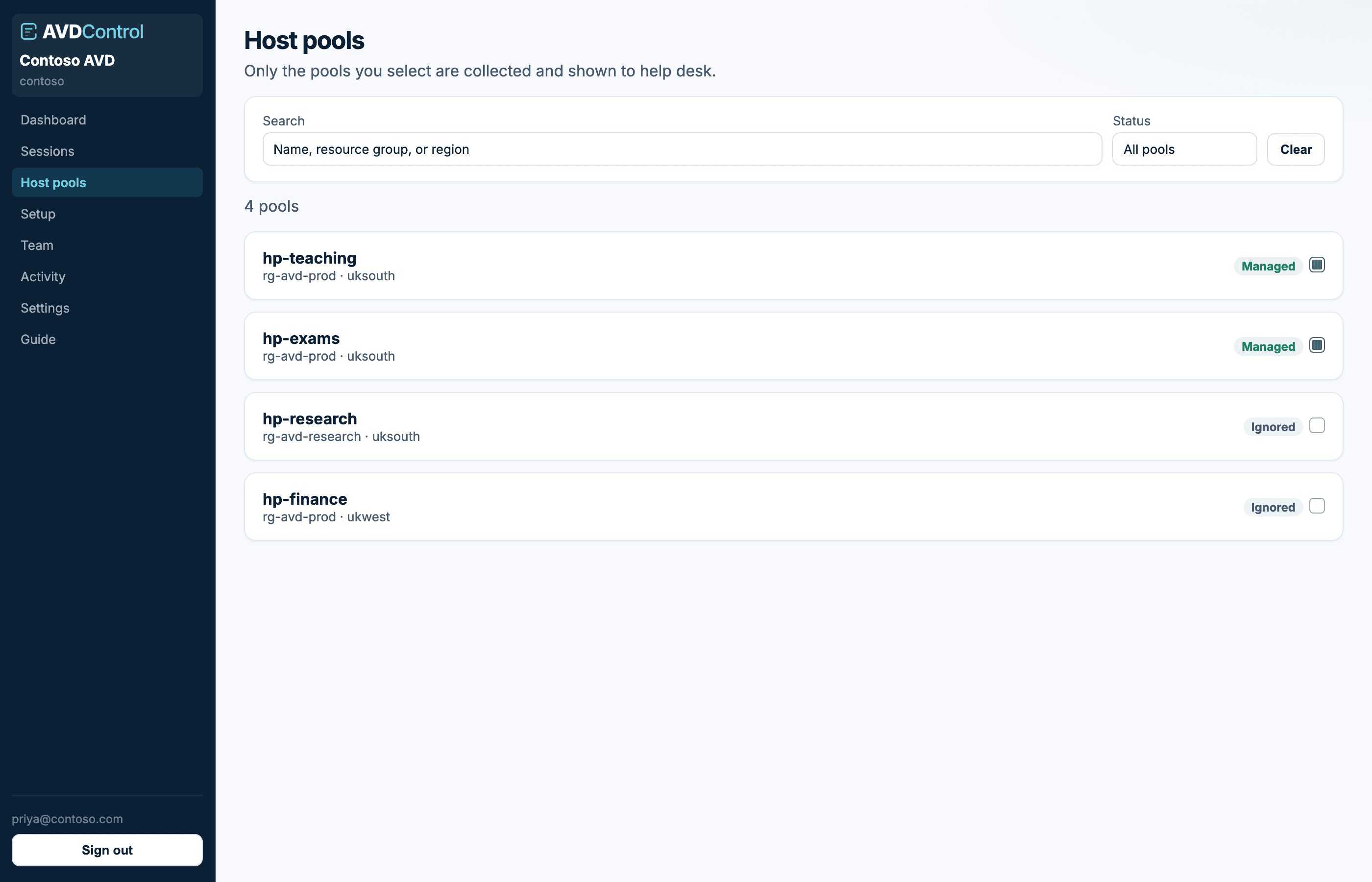
Choose the pools to expose. Leave the rest hidden.
Select a connection, subscription, resource group or an individual host pool. Research and finance pools can stay out of the help desk view entirely.
Scope is enforced on every request, not just in the UI.03 · Delegate
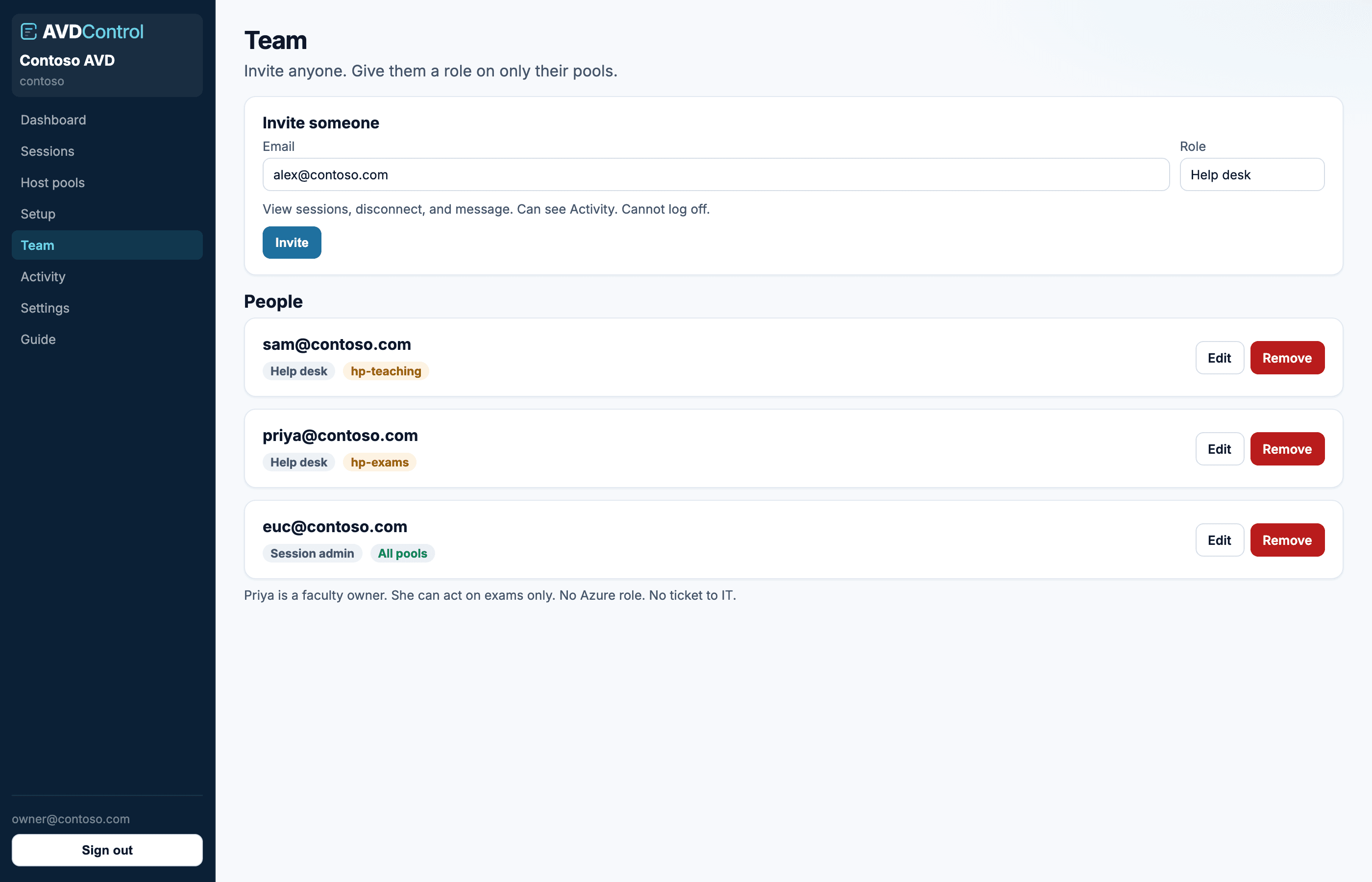
Give people a role, not the keys to Azure.
Invite service desk or a business owner with only the actions they need. A faculty lead can act on their own lab pool without a ticket to IT.
Viewer · Help desk · Session admin · Admin · Owner04 · Operate
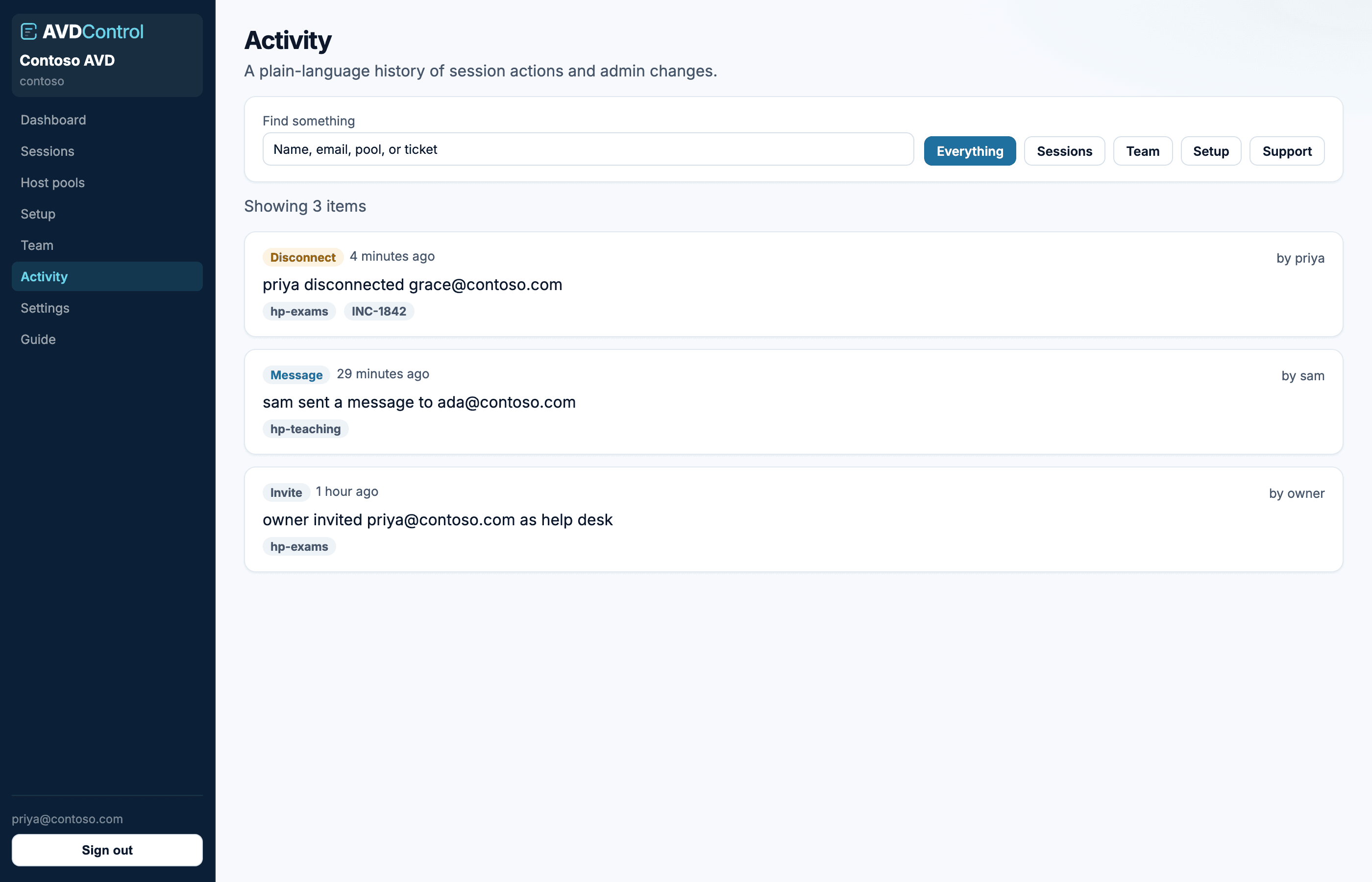
Resolve the issue. The record writes itself.
Disconnect, message and log off from one focused console. Every action lands in Activity with the actor, the user and the host pool.
Destructive actions always ask first.See it in action
From connection to resolution.
Watch how an AVD team connects Azure, delegates a host pool and clears a stuck session.
One console, clear boundaries
Useful to every layer of your AVD team.
Roles run from viewer up to tenant owner. Log off needs session admin or above.
Resolve the common issue at first contact.
Keep privileged Azure roles where they belong.
Manage the pools they run without joining the ticket queue.
Move between customer Entra connections in one tenant.
How teams use it
Sector setups, not named quotes.
Composite scenarios for education, MSPs, enterprise, public sector, healthcare and finance. Open one for the estate, the problem and the setup, without leaving the page.
All case studiesEducation01 / 06
University help desk for Azure Virtual Desktop
A large teaching estate needed first-line staff, and some faculty teams, to clear stuck sessions without a privileged Azure role or a ticket to IT.
About 3,500 concurrent student and staff sessions across teaching and exam host pools.
The details
Questions, answered plainly.
Still working through your setup? The illustrated guide covers connection, roles, sessions and settings.
Open the user guideStill have a question?
Ask us directly. You will get a straight answer from someone who runs AVD.
Contact usA console we host for Azure Virtual Desktop. Help desk and session admins can see live sessions and take action without using the Azure Portal.
Coming soon
Make your next AVD session issue a two-minute fix.
Self-serve signup will open shortly. Get in touch for early access, or explore the product while you wait.